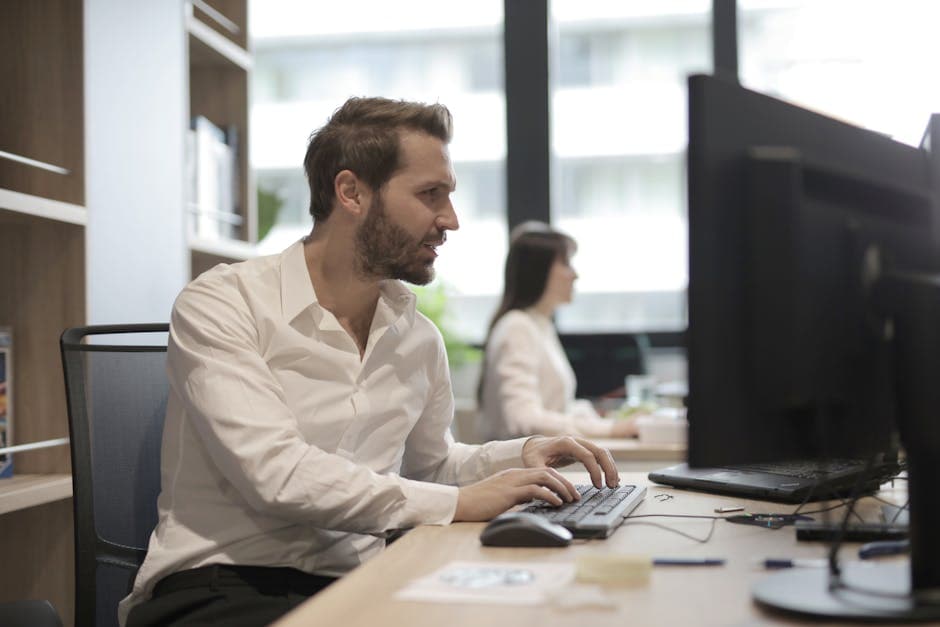
A weak online setup doesn’t just look sloppy — it creates friction before you’ve answered a single question. In a virtual interview, your lighting, sound, camera angle, and background become part of your introduction. If the interviewer is straining to hear you, distracted by shadows, or staring up your nose from a laptop camera, your first impression is already doing unnecessary damage.
What Your Online Setup Is Really Communicating
In an in-person interview, a handshake, posture, and eye contact do a lot of work. Online, those signals get replaced by digital proxies: whether your face is clearly lit, whether your voice sounds sharp and stable, whether your frame feels composed, and whether your environment looks intentional. Interviewers may never say, “Your lighting was bad,” but they absolutely feel the effects of a setup that seems chaotic, low-effort, or unreliable.
A strong setup signals several things at once:
- Professional judgment — you understand how to show up in a remote environment
- Respect for the interviewer’s time — you reduced avoidable technical friction
- Attention to detail — small operational choices are under control
- Composure under pressure — you prepared before the call, not during it
This is especially important because the first visual read happens fast. If you haven’t read The "First 60 Seconds" Rule: How to Hook Your Interviewer Immediately, it’s worth pairing with this guide: your setup is the stage on which that first minute lands.
Get The Lighting Right Before You Touch Anything Else
If you fix only one thing tonight, fix your lighting. Most candidates obsess over answers and forget that the interviewer needs to actually see their face clearly. Good lighting makes you look more alert, trustworthy, and engaged. Bad lighting makes you look tired, hidden, or disconnected.
Use Front-Facing Light
The best option is simple: place a soft light source in front of you, not behind you. A window works beautifully if it’s in front of your face. A lamp behind your monitor can also work if it creates even light without harsh glare.
Avoid these common mistakes:
- Sitting with a bright window behind you, which turns your face into a silhouette
- Relying only on overhead room lights, which create shadows under the eyes
- Mixing several light temperatures, which can make your image look strange or washed out
- Using a ring light so bright that it makes you squint or look overexposed
Quick Lighting Test
Run this 30-second check on your interview platform, not just your camera app:
- Open the exact app you’ll use for the interview.
- Look at your face at normal speaking distance.
- Check whether both eyes are visible and evenly lit.
- Turn your head slightly left and right to spot harsh shadows.
- Adjust one variable at a time: window, lamp angle, screen brightness, seating position.
Your goal is not a studio look. Your goal is clear, natural, and distraction-free.
"I want my setup to disappear, so the interviewer focuses on my answers, not my screen."
Audio Matters More Than Video
Candidates routinely underestimate sound quality, but interviewers forgive mediocre video much faster than muddy audio. If your voice cuts out, echoes, or sounds distant, the conversation becomes work. That hurts rapport, interrupts flow, and can make strong answers feel weaker than they are.
Prioritize A Clean Voice Signal
Use the best microphone available to you. In order of preference, a wired headset, a good USB mic, or reliable wired earbuds usually outperform your laptop’s built-in mic. Bluetooth can work, but it introduces another possible failure point: battery, pairing issues, lag, or random switching.
What good interview audio sounds like:
- Close and clear, not hollow
- Consistent volume, not fading when you turn your head
- Low background noise, especially from fans, traffic, or roommates
- No echo, which usually happens in large empty rooms or speaker output loops
Fix The Room, Not Just The Device
A hard, empty room makes you sound sharp and echoey. Soft surfaces help. You do not need acoustic panels. You do need to reduce obvious reverb.
Try these fast fixes:
- Close curtains
- Put a rug down if the floor is bare
- Sit near upholstered furniture
- Shut windows and silence fans if possible
- Mute phone and desktop notifications
Before the interview, record yourself answering one behavioral question for 30 seconds. Listen back with headphones. If your first reaction is "that sounds far away" or "why is there so much room noise?", keep adjusting.
Camera Position, Framing, And Background
A polished visual setup is mostly about angle and composition. You want to look grounded, not accidental. That means your camera should be at eye level, your framing should be stable, and your background should look intentional.
Set The Camera At Eye Level
The camera should be roughly aligned with your eyes. Stack books under your laptop if needed. Looking down into a laptop on a desk creates an awkward, unflattering angle and weakens the sense of eye contact.
Aim for this framing:
- Head and upper torso visible
- Small amount of space above your head
- Face centered, not drifting to one side
- Camera stable, not wobbling every time you type
When speaking, look at the camera occasionally, especially during your opening and closing remarks. You do not need to stare at it nonstop. A natural rhythm between the camera and the screen feels best.
Keep The Background Quiet
Your background should not become part of the conversation. The standard is simple: clean, neutral, and uncluttered. A bookshelf, plain wall, tidy desk, or subtle home office setup works well.
Avoid backgrounds that create mental noise:
- Messy beds or laundry piles
- Bright posters or visual clutter
- People walking behind you
- Virtual backgrounds that glitch around your face
- Strong backlighting from open doors or windows
A real, simple background usually beats a fake one. Unless your actual space is impossible, skip the virtual background and use natural depth instead.
Build A No-Fail Tech Check Routine
Great setups don’t happen by luck. They come from a repeatable pre-interview checklist. The more nervous you are, the more you should rely on a system instead of memory.
Use this sequence 20 to 30 minutes before the interview:
- Restart your computer.
- Close unnecessary tabs and heavy apps.
- Plug in your device and verify battery anyway.
- Test internet speed and move closer to the router if needed.
- Open the meeting link early and confirm camera, mic, and display name.
- Silence notifications on phone, desktop, and smartwatch.
- Put water, resume, job description, and notes within reach.
- Check framing, posture, and facial lighting one final time.
Also prepare a backup plan. That means having:
- A phone hotspot ready if Wi-Fi fails
- The interviewer or recruiter contact info accessible
- The meeting link copied somewhere easy to reopen
- Headphones nearby in case audio starts echoing
If tech fails despite your preparation, your response matters more than the glitch.
"It looks like my audio briefly dropped — I’m switching to my backup headphones now. Thank you for your patience."
That kind of line signals composure, ownership, and professionalism.
Match Your Setup To The Kind Of Interview
Not every interview requires the exact same emphasis. The baseline setup is always the same, but certain formats demand extra preparation.
Behavioral Interviews
In behavioral rounds, your face, eye contact, and vocal clarity do heavy lifting. Make sure your expressions are visible and your audio is warm and direct. If you use the STAR framework, pause cleanly between sections so your answers stay structured and easy to follow.
Technical Interviews
For coding or systems interviews, optimize for screen sharing and readability. Test what happens when you share your screen: does your face disappear, does your microphone quality change, do notifications flash, is your font size readable? A technically perfect answer can still feel messy if your screen share experience is chaotic.
Panel Or Final-Round Interviews
Panel interviews amplify friction. Multiple people may be joining from different setups, and interruptions happen easily. Use a slightly more formal setup here: stronger front lighting, cleaner background, and tighter note organization. When several interviewers are present, any weakness in audio quality becomes more punishing.
Related Interview Prep Resources
- Nailing Your Online Setup: Lighting, Sound, and the "Digital First Impression"
- How to Ask for the Next Steps Without Putting the Recruiter on the Defensive
- The "First 60 Seconds" Rule: How to Hook Your Interviewer Immediately

Practice this answer live
Jump into an AI simulation tailored to your specific resume and target job title in seconds.
Start SimulationWhat To Say In The First Minute On Camera
Your setup gets you into the room smoothly. Your opening words turn that smooth entry into momentum. Don’t waste the first minute apologizing, rambling, or fiddling with settings while talking.
A good opening is short and grounded:
- Greet them warmly.
- Confirm audio quickly if needed.
- Thank them for the time.
- Transition cleanly into the conversation.
For example:
"Hi, thanks so much for making the time today. Great to meet you — and just to confirm, can you hear me clearly? Perfect. I’m excited to get started."
That’s all you need. Notice what it avoids: no nervous monologue, no overexplaining your setup, no unnecessary self-deprecation. If you want to sharpen this moment further, revisit The "First 60 Seconds" Rule: How to Hook Your Interviewer Immediately.
The Biggest Online Setup Mistakes Candidates Make
Most virtual interview mistakes are not dramatic. They’re small preventable errors that stack up and make you seem less prepared than you are.
Here are the ones that matter most:
- Joining at the exact start time instead of a few minutes early
- Using unstable Wi-Fi without a backup option
- Keeping the camera too low and creating poor eye contact
- Ignoring sound quality because the built-in mic “seems fine”
- Overloading the background with visual distractions
- Looking at your own self-view constantly instead of the conversation
- Shuffling papers or typing loudly near the microphone
- Failing to test screen share before a technical round
One subtle mistake is over-correcting. Candidates sometimes build a setup that feels stiff, bright, and unnatural because they’re chasing “professional.” You do not need a corporate studio. You need a setup that feels competent, calm, and easy to talk to.
And once the interview ends, don’t lose momentum by getting awkward about what comes next. If you need help phrasing that final question professionally, read How to Ask for the Next Steps Without Putting the Recruiter on the Defensive.
FAQ
Do I need to buy a ring light or microphone?
No. You need the best version of simple. A window in front of you and wired earbuds with a decent mic are often enough. Buy gear only if your current setup clearly fails basic tests for visibility or sound. Interviewers are not grading your production budget; they are reacting to whether the conversation feels smooth and professional.
Is a virtual background okay?
Usually, a real background is better. Virtual backgrounds can flicker around your hair, blur your gestures, and make the image look less stable. If your space is cluttered or not private, a mild blur is generally safer than a fully artificial scene. The key is to reduce distraction, not create a strange visual effect.
Where should I look during the interview?
Look mostly at the interviewer on screen, and glance at the camera during key moments: your greeting, important points, and closing remarks. That creates the feeling of digital eye contact without making you look robotic. If you stare at yourself in self-view, your focus will drift and your expressions may become overly self-conscious.
How early should I log in?
Plan to be fully ready 10 minutes early and join the meeting room 2 to 5 minutes early unless instructions say otherwise. That buffer gives you time to recover from login issues, app updates, or audio surprises without starting the interview in a rush. Calm is visible, even through a screen.
What if something goes wrong during the interview?
Don’t panic and don’t narrate your stress. State the issue clearly, propose the fix, and move. For example: "I’m getting a bit of audio interference, so I’m switching to my backup headphones now." Interviewers rarely judge a brief glitch harshly. They do notice whether you respond with clarity, ownership, and poise.
Make Your Setup Invisible — And Your Presence Memorable
The best online interview setup is the one the interviewer barely notices because everything works. Your face is clear, your voice is easy to hear, your frame is steady, and your environment feels controlled. That invisible competence creates room for the thing that actually wins interviews: clear thinking, strong stories, and calm delivery.
So don’t treat your setup as an afterthought. Treat it as part of your answer before the first question arrives. When your digital first impression says prepared, thoughtful, and credible, the rest of the conversation gets easier.

Salary Negotiation Coach & ex-Wall Street
Daniel worked in investment banking before building a practice around compensation negotiation and career transitions. He has helped hundreds of professionals increase their total comp by an average of 34%.